01Capture
Walk the room.
Keep its shape.
Use LiDAR-assisted room scanning to bring walls, doors and windows into an editable model.
Scan your rooms. Shape a floor plan.
Find a path for every cable.
The wall you want to measure. The socket you need to reach. The route between floors. Bring them together in a plan you can actually work with.
01Capture
Use LiDAR-assisted room scanning to bring walls, doors and windows into an editable model.
02Refine
Straighten near-axis walls. Keep the intentional diagonals. Move corners and place points directly on the plan.
03Connect
Lay out conduits and cable runs, including between floors. Keep route length and the extra you’ll need clearly separate.
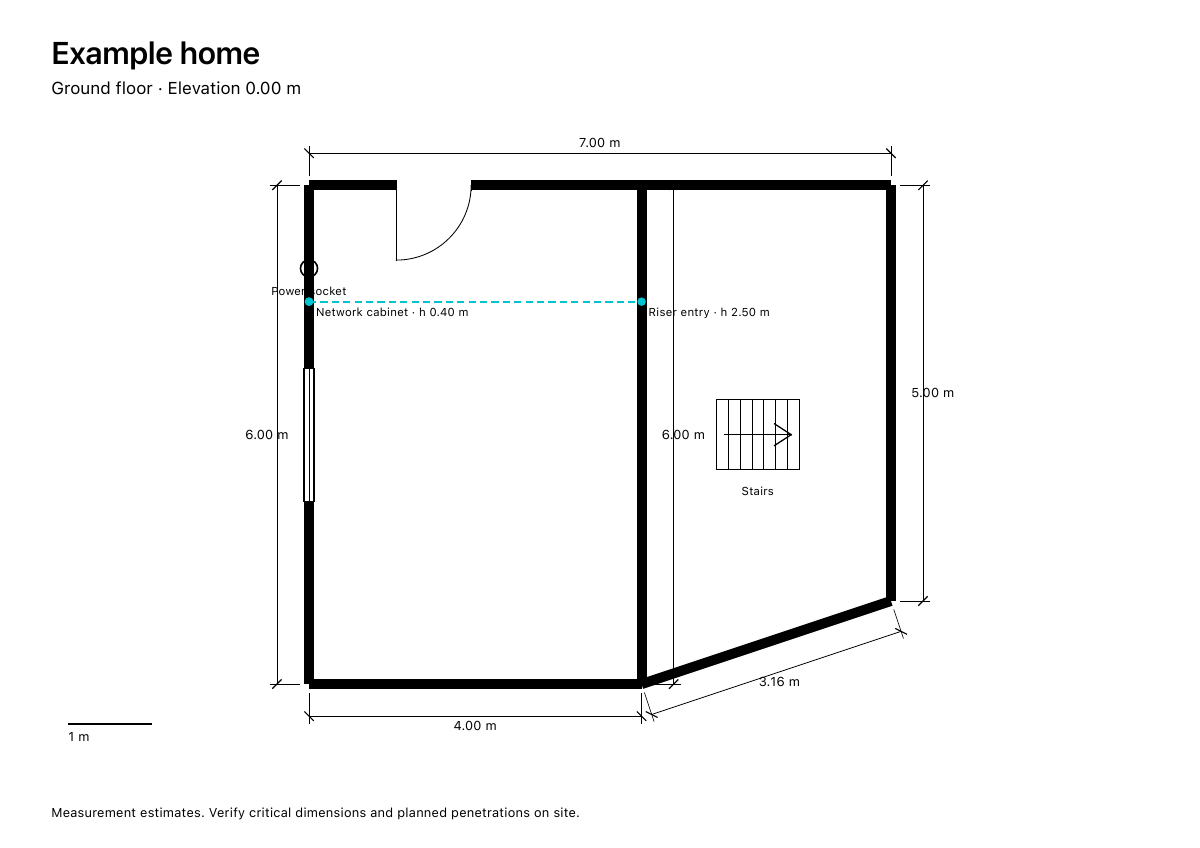
A network cabinet downstairs. An outlet upstairs. Plan the connections before you pull the first cable.
Illustrative example.
Door swings. Window lines. Dimensions you can check on site. Take your plan out of the app and into the project.
Open an example PDFVerify critical dimensions on site.
Plans stay on your device unless you choose to export them. No account needed.
Scanning is a starting point. Adjust the geometry, add a real measurement, and choose where a route belongs.
Plan low-voltage runs and mark existing power sockets. A clearer plan before the hands-on work.
Coming soon
iOS 17+ · LiDAR required for room scanning.